No geography visualisation was possible in previous versions.
For example of what is possible in DensiTreee 2.01, click here.
No meta-data visualisation was possible in previous versions.
For example of what is possible in DensiTreee 2.01, click here.
New methods for positioning internal nodes in the tree set are added, making it possible to give a tidy look to tree sets that looked rather unruly in previous versions. For example, the following tree set has three dominating topologies covering 82%, 13% and 4% of the trees respectively and looks like this in older versions of DensiTree.
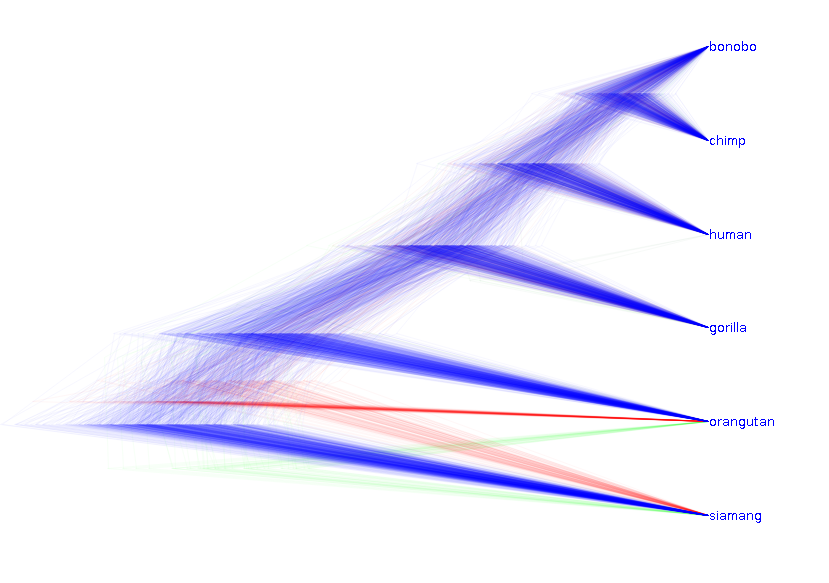
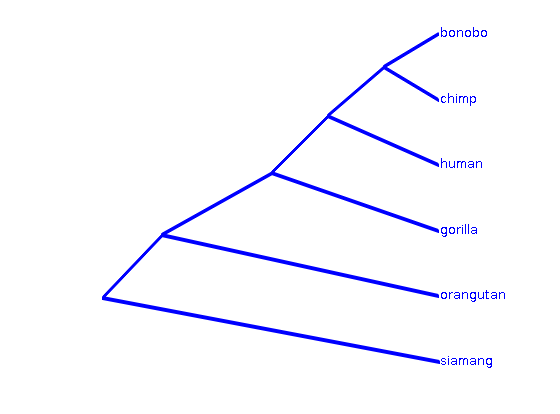
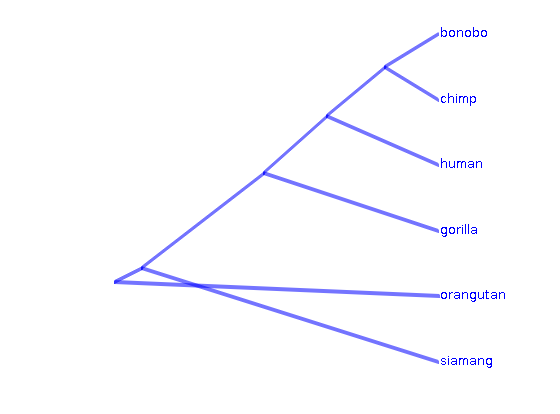
The difference in the three topologies is in the root position, and involve only short branches so the distance between the trees in tree space is small. The consensus trees look like this.
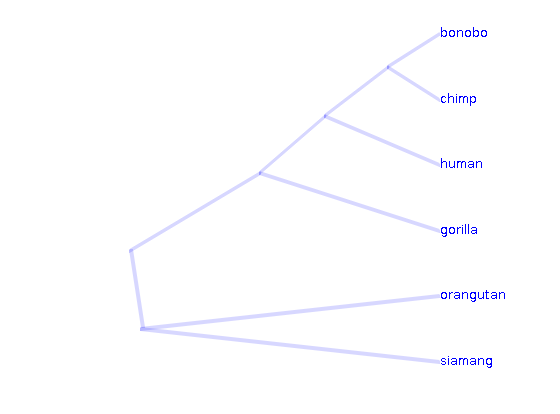
By repositioning internal nodes, a much tidier tree set as shown below can be created in DensiTree 2.01. The uncertainty in topology is still visible, but does not clutter the picture any more. Furthermore, the distance between any two in trees in the set in tree space is small, which is exemplified by DensiTree 2.01.
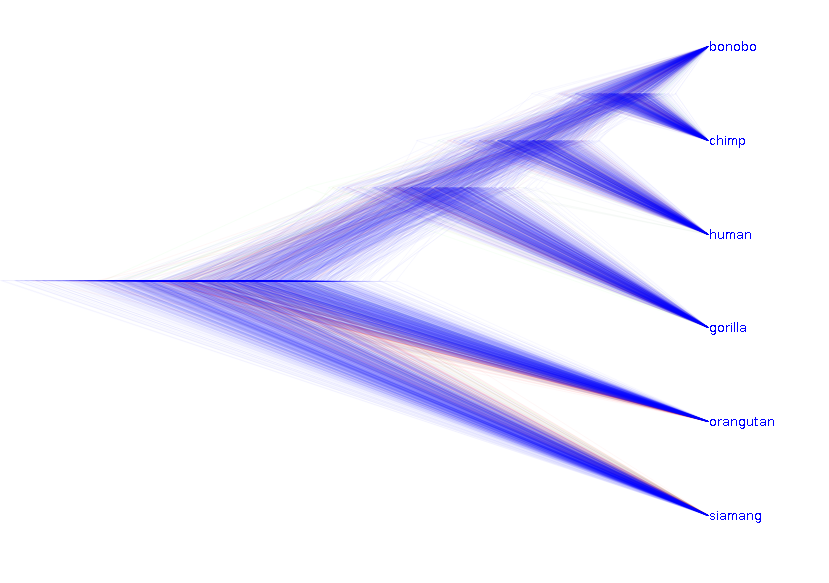
Another example of the same type:
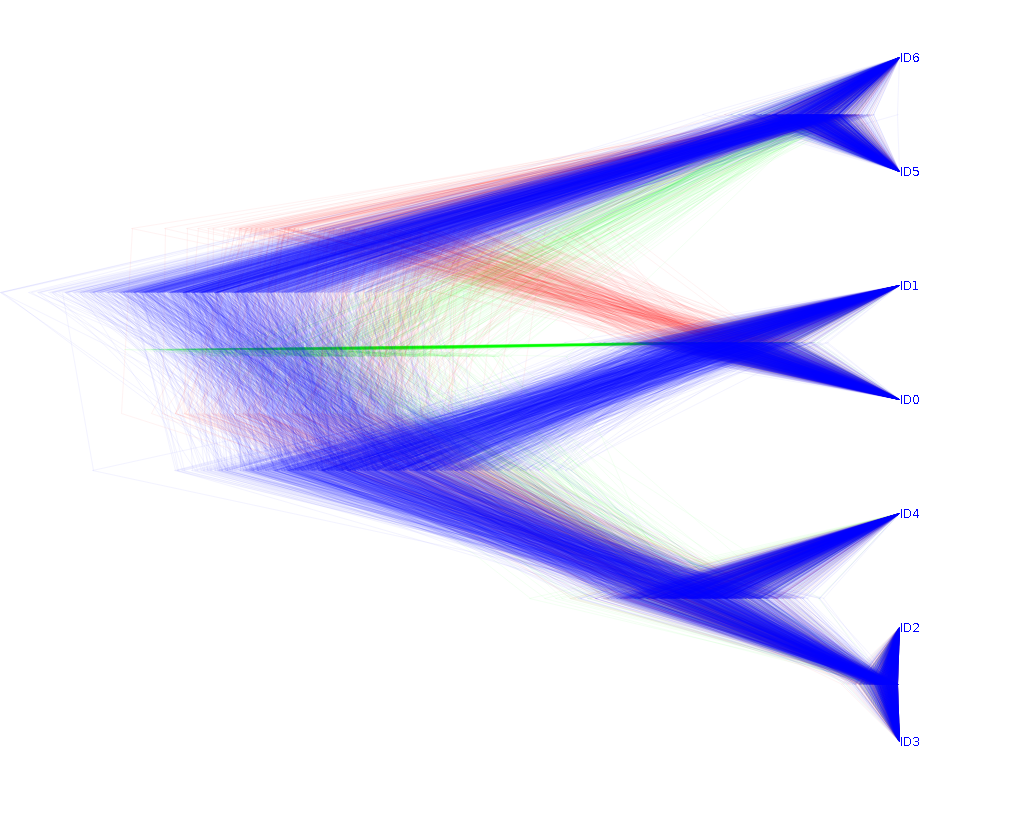
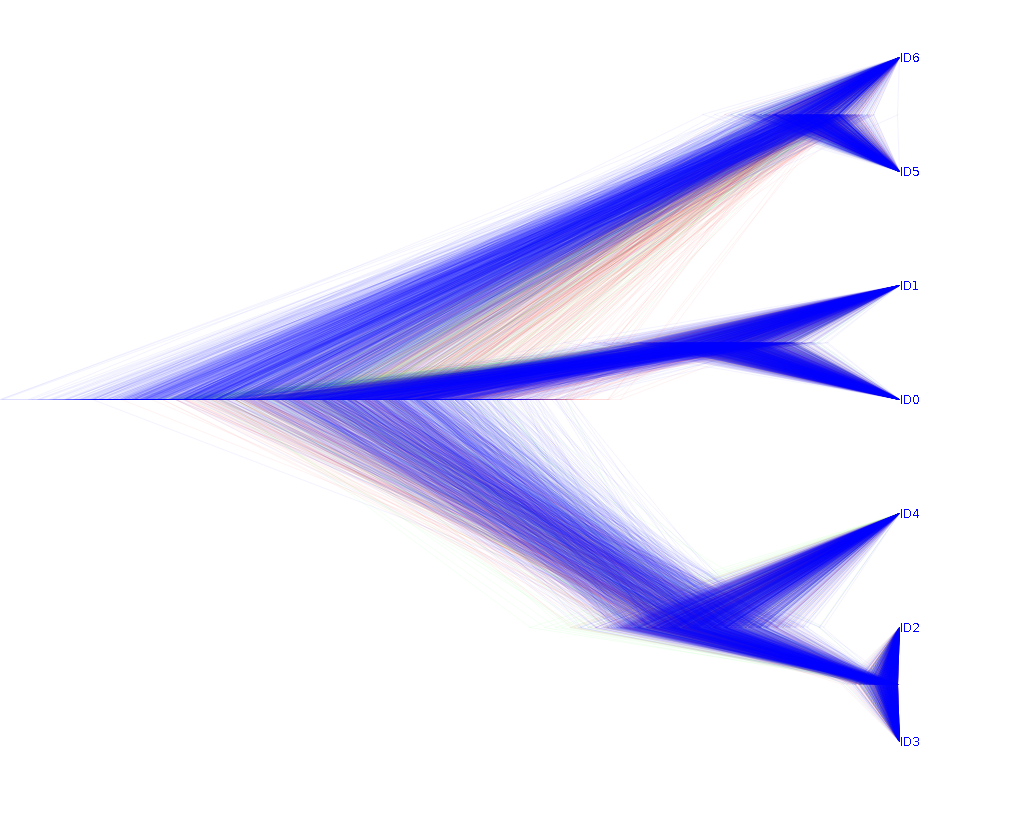
Again, this is a tree sets with 3 dominating topologies, here covering 74%, 16% and 9% of the trees respectively. DensiTree 2.01 allows to visualise that the trees in the set are not that different much clearer like this.
Another example where the new node positioning algorithms helps is shown in the following tree set. The best possible visualisation with previous versions is this.

The new centralised internal node position algorithm in DensiTree 2.01, gives the following much less fuzzy picture.
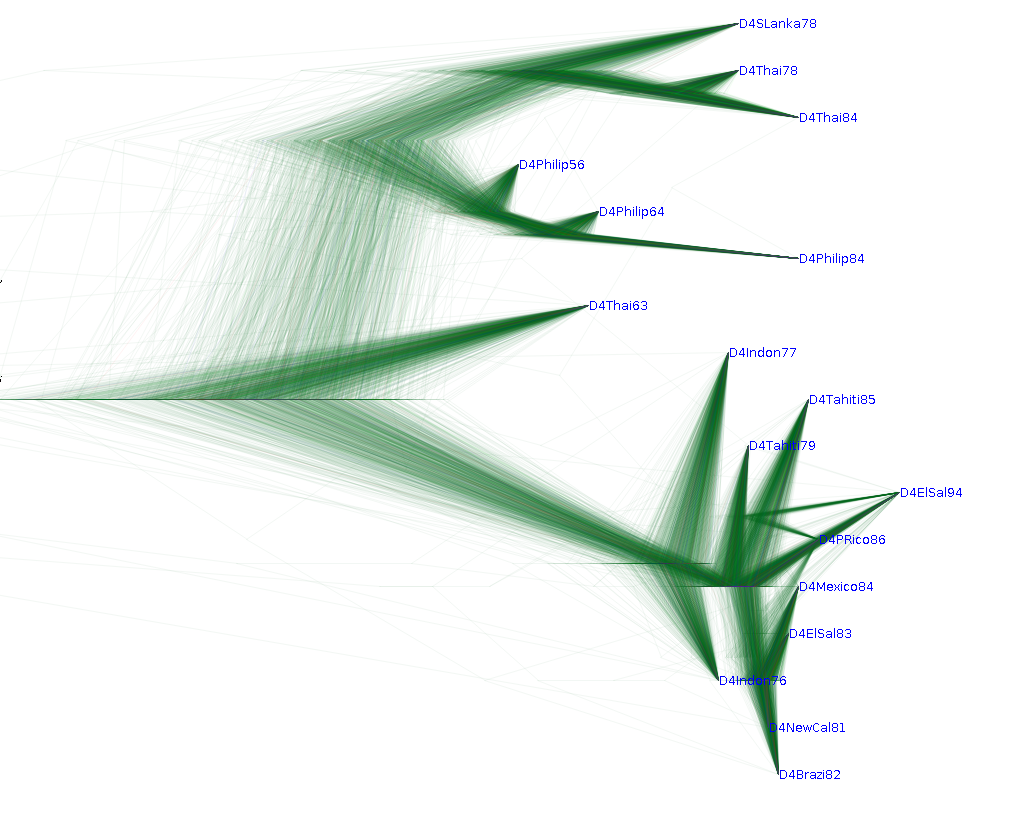
The star-tree algorithm in DensiTree 2.01 shows the same tree set like this. Note that the 'root-canal' tree is a new feature in DensiTree 2.01, which helps in focussing on the main features of the tree set.
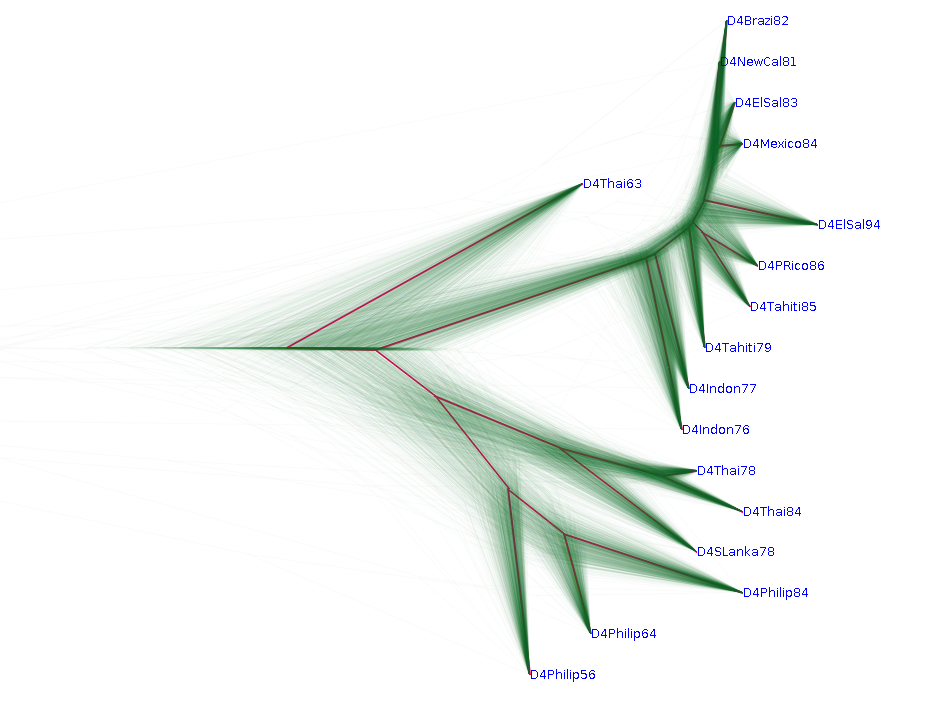
Another example of a tree set that benefits from the new node positioning algorithms is the following. Note that (sim,rem) forms a 100% clade, which is hidden by the branches from neighbouring taxa.
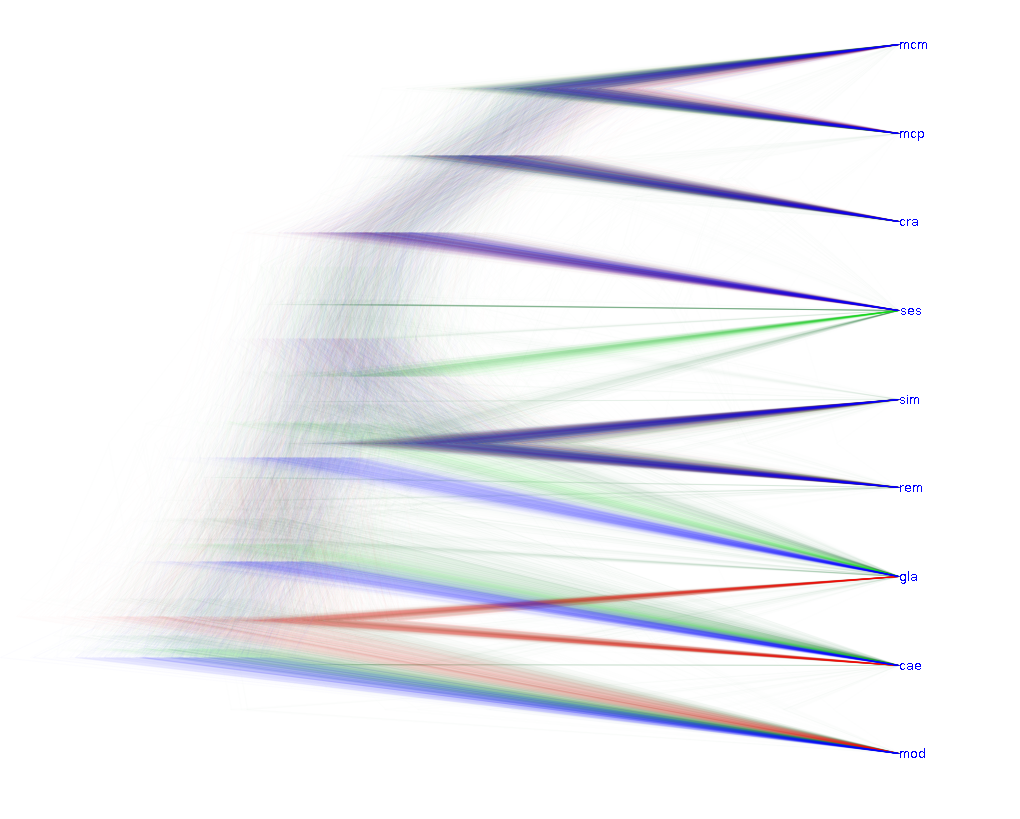
One issue with this tree set is that it forms a caterpillar-like tree with topological uncertainty of the position of the legs of the caterpillar. The head (mod) and tail (mcm, mcp, cra) clades are clear. However, it is not clear how the taxa ses, gla, and cae and the claded (mcm, mcp, cra) and (sim, rem) combine. The following picture produced with DensiTree 2.01 illustrates this situation.
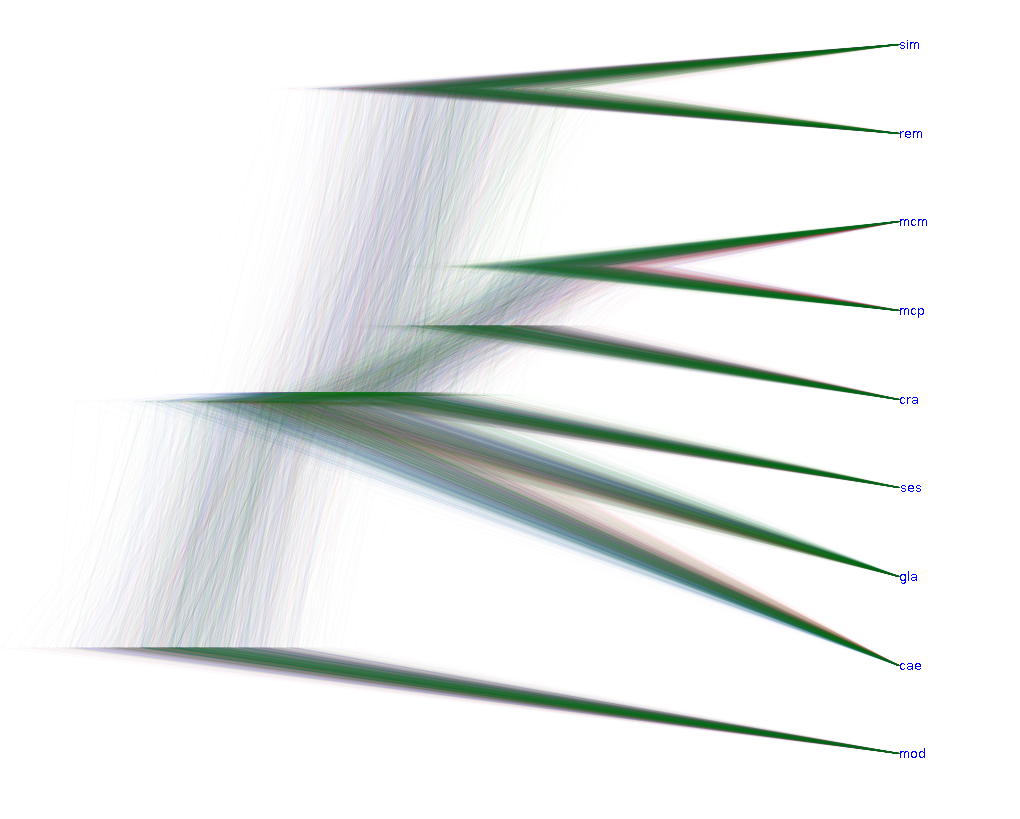
Orderings taxa has a major impact on visualising the tree set. In previous versions, a number of clustering methods were implemented to find a decent summary tree, which then was used to order the nodes. Also, a few heuristics were available. The following image shows an example of a tree set and the best possible visualisation with the previous version
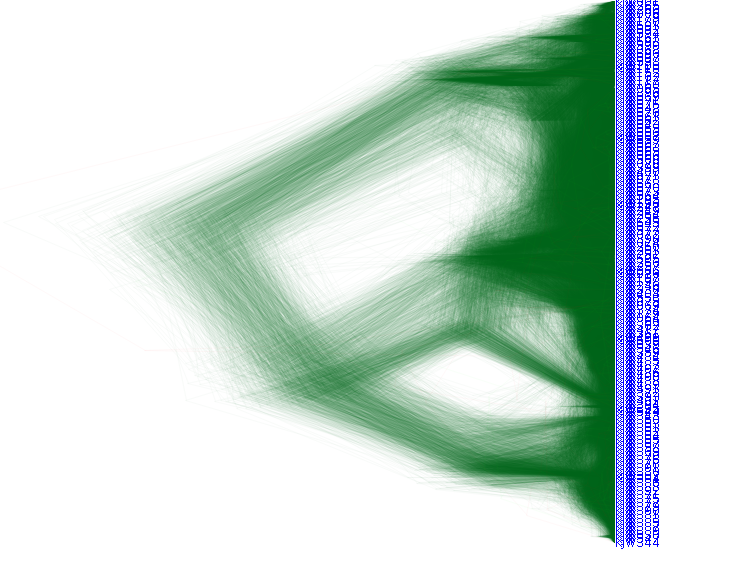
With the new ordering algorithms available in DensiTree 2.01, much more structure in the tree set can be made visible, as shown here.
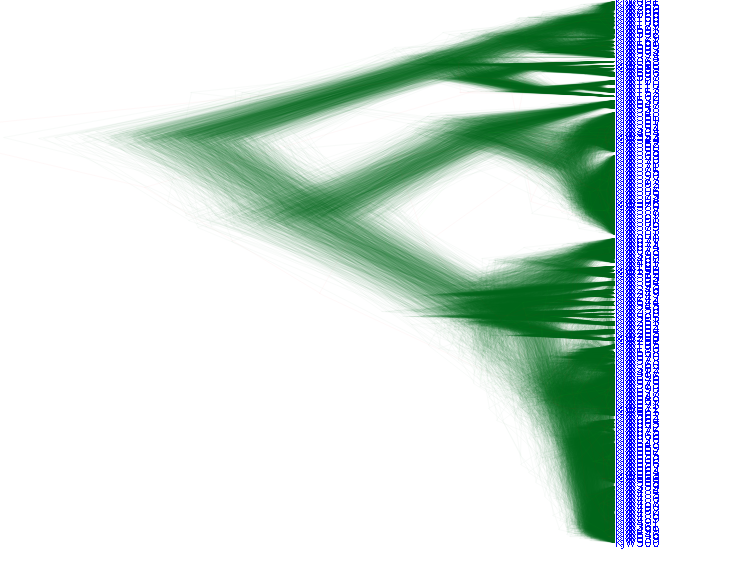
Another example where the new ordering algorithms bring more clarity is the following influenza tree set. In older version, the best ordering generated results in this tree set.
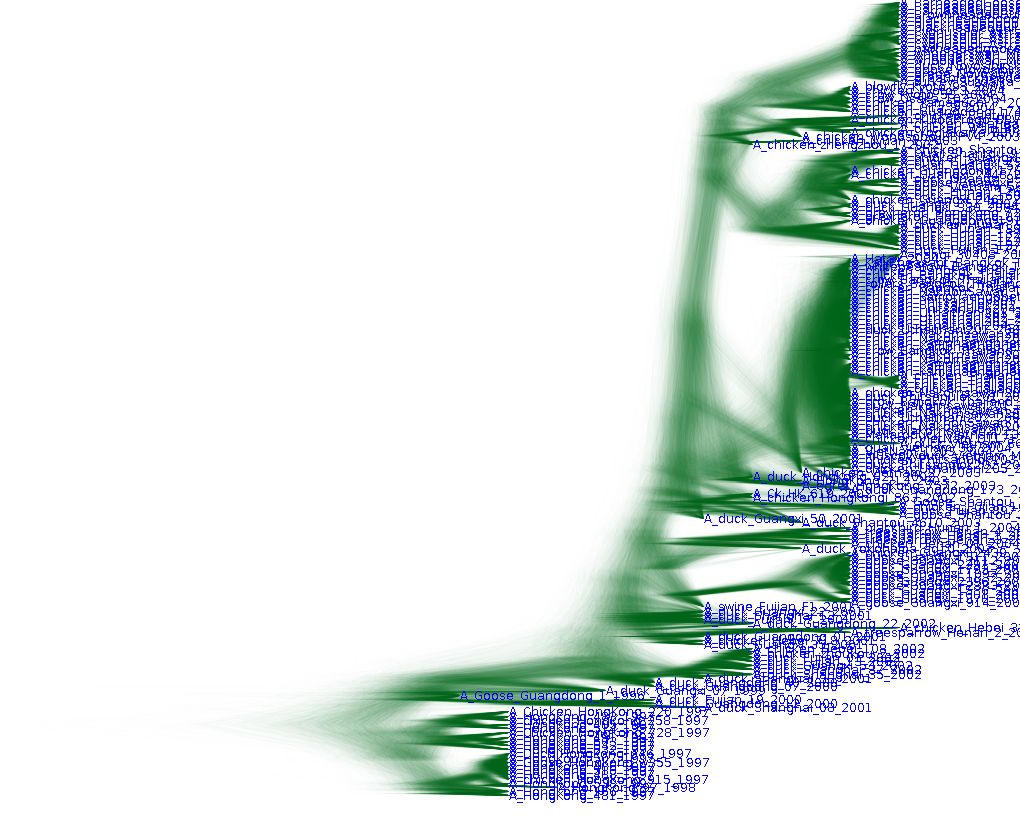
With the new ordering algorithms, more structure becomes obvious. For example, the clade at the top is much more structured than before. Also, the taxon about a third from the top has a lot fewer arcs crossing taxa labels of older taxa due to better taxon ordering.
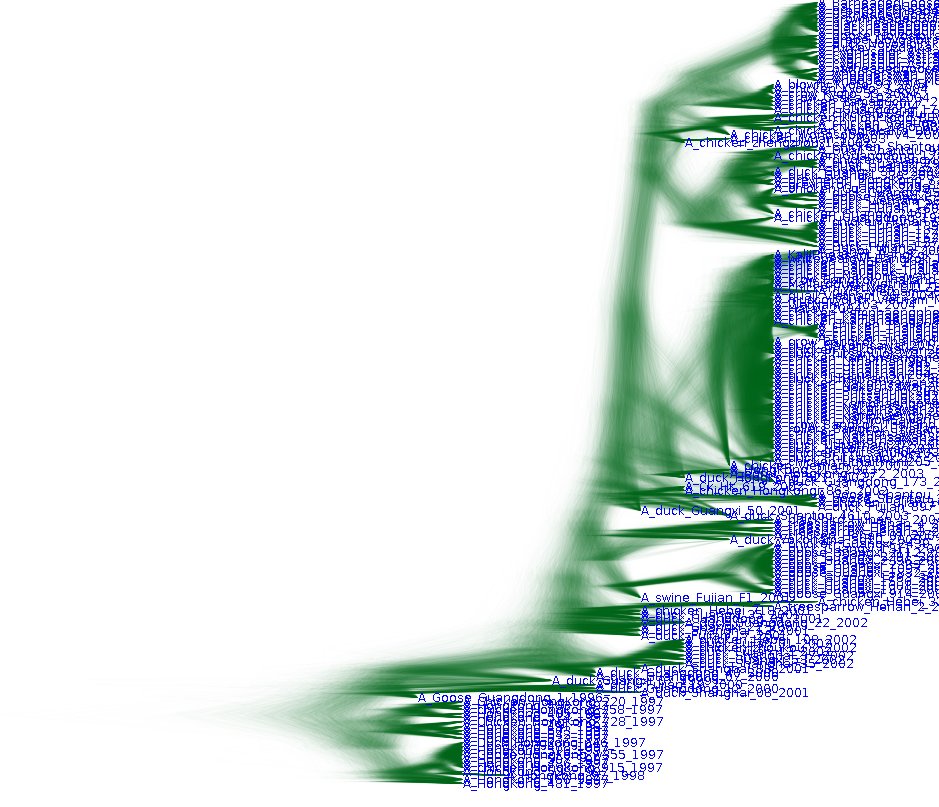
New ways of branch drawing are added in DensiTree 2.01, shown below
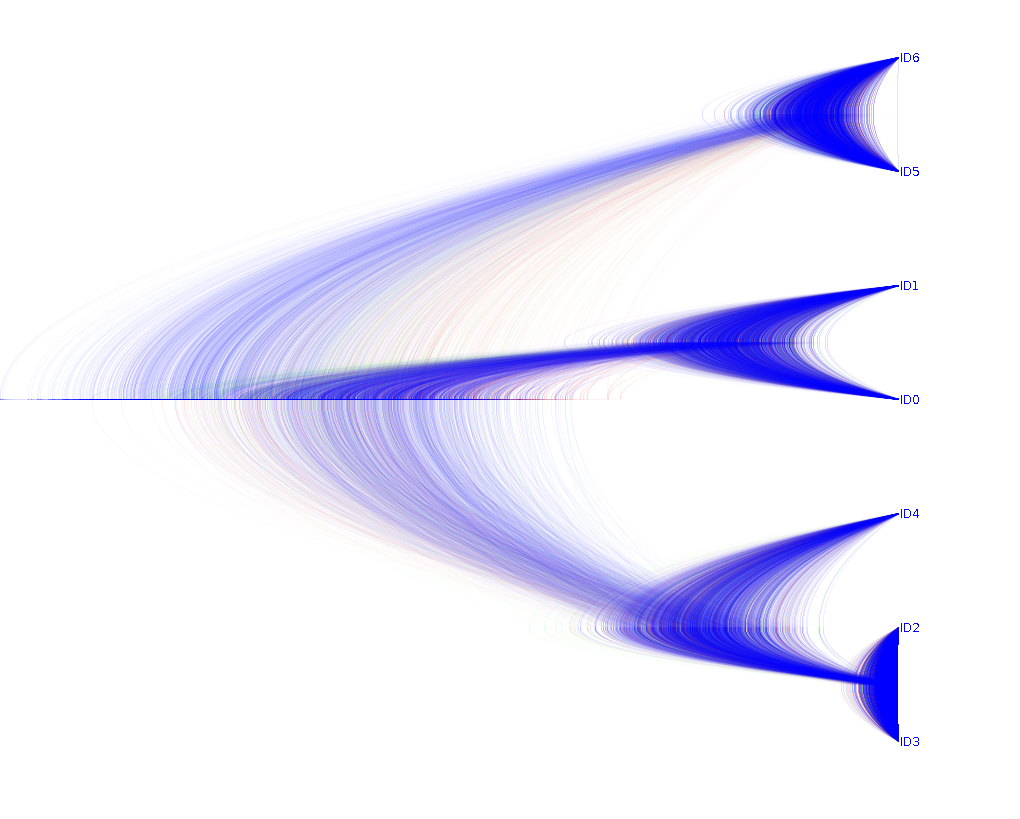
This shows that arced branches can help highlight uncertainty in internal node heights better than with straight lines (see image of the same set above).
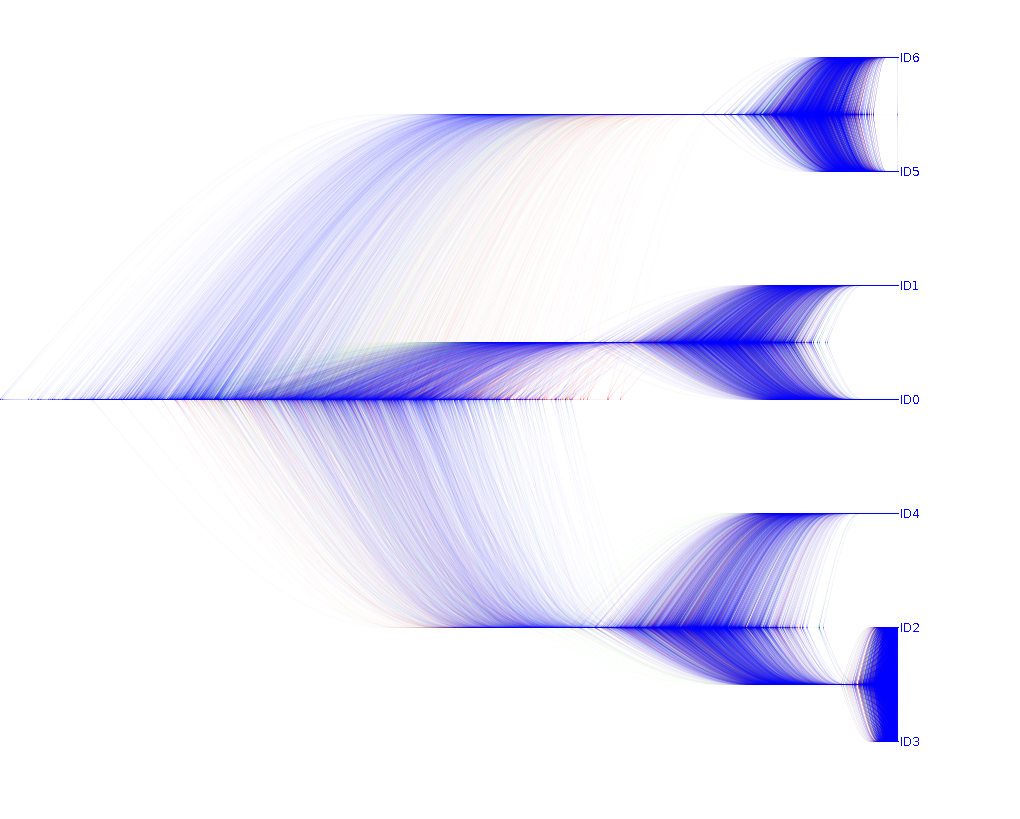
An alternative branch drawing method is the 'steep arc', which perhaps allows highlighting of node height uncertainty even better than with arced branches.
List of clades can be made visible at the bottom of the screen.
Clade positions can be manipulate interactively through drag/drop.
Clades can be selected by pointing and clicking or by selection in the clade window.
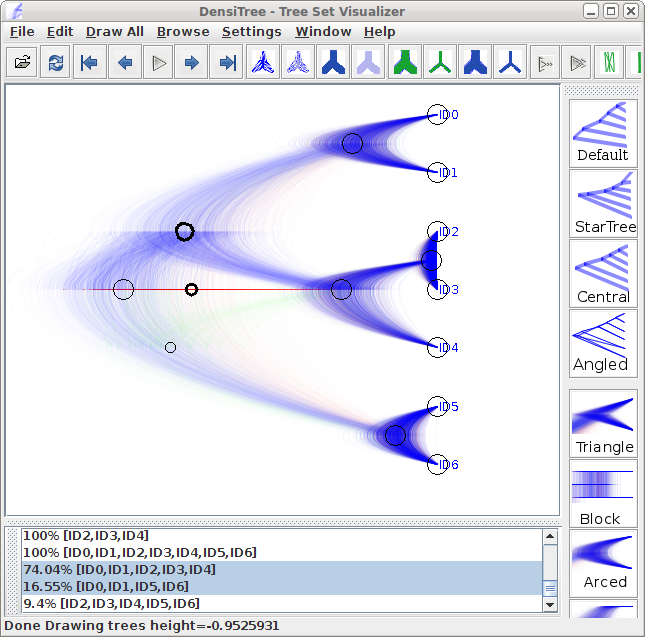
Tracking of the height at mouse position, shown in the status bar.
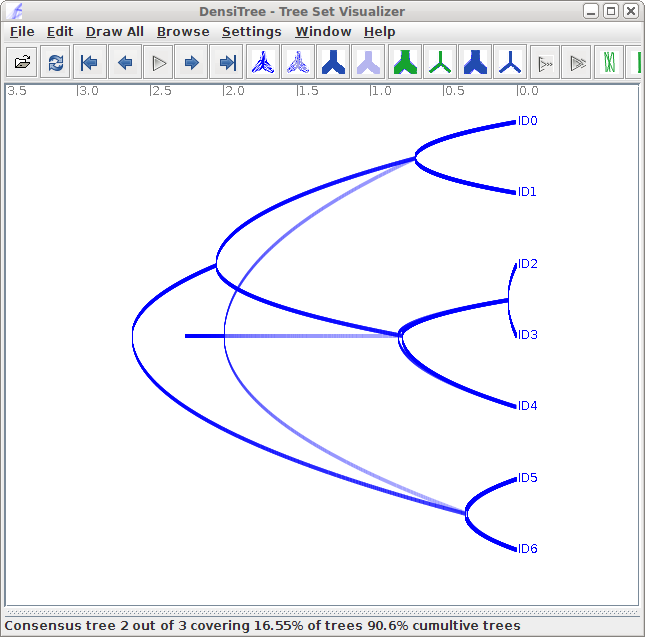
Show coverage and cumulative coverage of part of the tree set in status bar while browsing through topologies.
Improved grid option and numbers.
Clade window list clade coverage.